
Series note: Missed the first or second entries? Check out:
So far, we’ve covered ten plugins that I use fairly frequently in my sessions for all sorts of technical and creative production challenges. This third and final part of the series highlights a handful of plugins I don’t turn to often, but when I do, they can add something special to the end product. I really like these five plugins, and I’m happy to have paid for them even though I don’t pull them out regularly.
If I like them so much, why don’t I use them more often? There are a couple of reasons. Either:
The plugin has a very specific use case and simply isn’t required or desired in most sessions, or
It has a particularly distinct effect on the sound that can be fantastic in the right situation, but such situations are rare.
Let’s dig in!
XLN Audio - Life
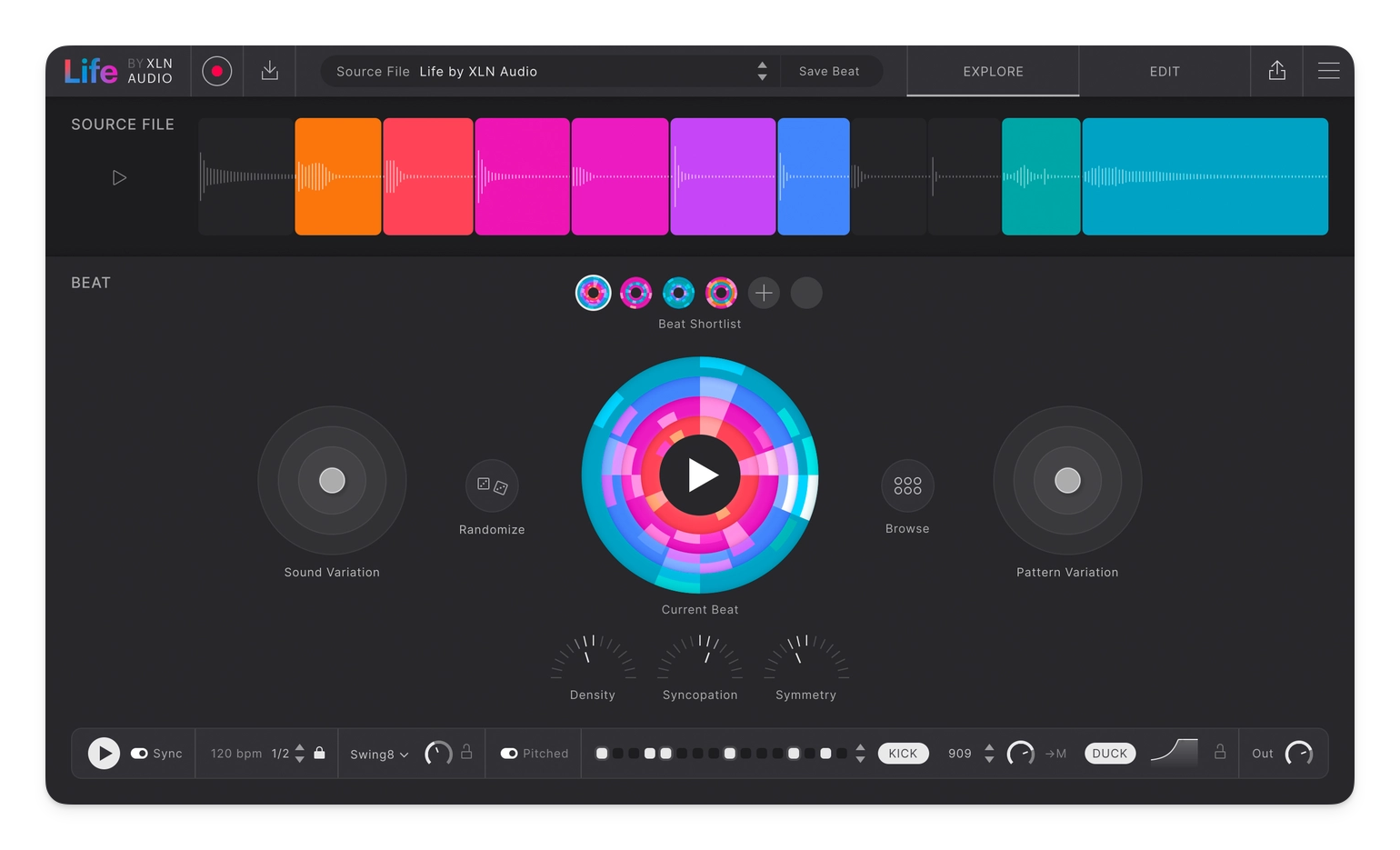
This is an incredibly unique and creative plugin. It takes audio recordings of anything you can think of, cuts them up, adds effects, then turns them into percussive loops that you can further program and modify. What’s more, it comes with a companion mobile app that lets you use your phone mic as a field recorder, then sends the recordings directly to the plugin on your computer.
While you could use these creations as the main percussion elements in a track if you’re going for slightly weird and unconventional sounds, I think there’s real value in using them as more subtle textural layers blended into other drums and percussion,
I used ‘Life’ to help create the subtle percussion loop that adds texture behind the main drum samples in the n1ghtmar3cat track “Flesh and Bone” from Copycat EP 01. The percussive loop was made from a recording I made with my phone of the sound of opening and closing my washing machine door and detergent drawer - I bet no one would have picked that!
Freakshow Industries - MISHBY
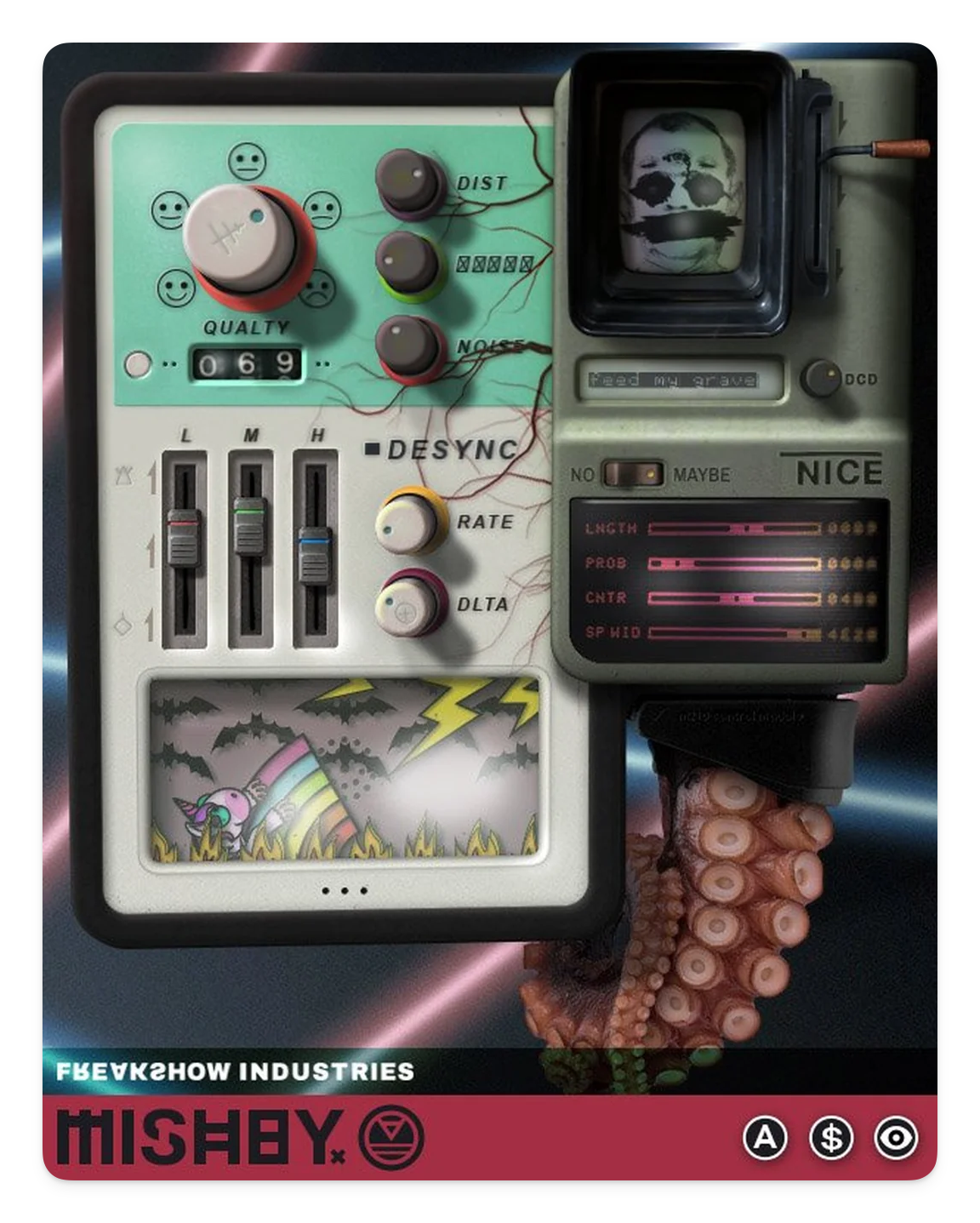
MISHBY is nuts - an impression you’ll get immediately from the gruesome interface design typical of Freakshow Industries. The name stands for Maybe I Shouldn’t Have Built You, and the sounds you get from the plugin can give you genuine horror movie tingles. At its core, it’s technically a weird tape-effect plugin, but one you imagine was modelled on a tape machine found in a serial killer’s attic.
While it can warp your audio in a whole bunch of weird ways, the thing I have used it for on tracks that have actually been released (and one coming out in the near future) is the unsettling pitch-shifting movements you can create with it. They certainly don’t fit with a lot of tracks because the pitch-shifting style isn’t exactly ‘pleasant’, but if you want to create the feeling that something’s a bit off, the feeling of being unwell, or bring a dark mood to your compositions, this can be a wildcard tool worth experimenting with.
Freakshow Industries has several plugins, and while they’re often pretty unusable, there are rare occasions where they absolutely nail the very particular vibe I’m going for. I also really appreciate the psychopathic UI and branding approach - it’s a completely unnecessary characteristic in the world of audio plugins, but there’s just something hilarious and fun about it. Check out their website to see what I mean.
BOZ Digital Labs - El Clapo 2
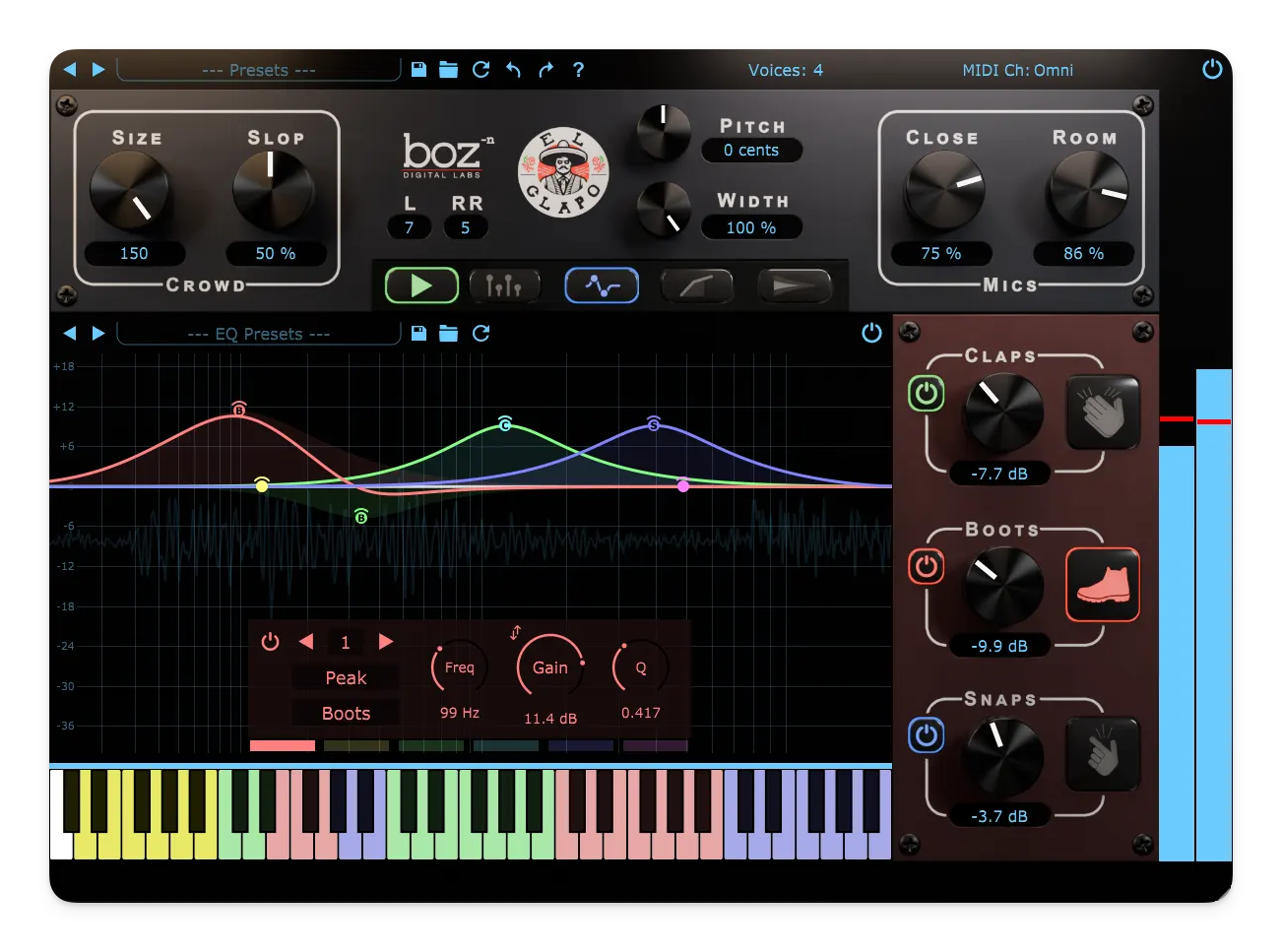
This one can be incredibly effective in the right tracks. El Clapo 2 is a virtual percussion instrument that simulates real-sounding claps, stomps, and finger snaps. While the stomps and finger snaps are nice to have, I predominantly use the clap engine. It also includes some basic miking and reverb settings - dry claps sound very unnatural, so blending in some room sound is generally a good idea!
The value of this plugin is that the samples sound like real, performed sounds. It’s so common these days to have copy-pasted clap samples in electronic and pop genres that are identical on each hit and don’t really sound like claps at all. Depending on the genre and style of the track, that can be totally fine, but if you want a hint of organic texture, layering El Clapo 2 behind your other claps can add genuine depth to the track as a whole.
It’s really fun to play around with. As with most percussion simulations, El Clapo 2 uses multiple samples to add slight variation to each clap, but the ‘size’ and the ‘slop’ knobs are where this plugin shines. ‘Size’ increases the number of simultaneous claps to simulate anything from one person clapping up to a crowd of 150 clapping at once. ‘Slop’ changes the timing accuracy of each clap relative to the others, so if your ‘size’ is dialled up high, adjusting the ‘slop’ will take you from inhumanly in-sync clapping to that reminiscent of a semi-coordinated, intoxicated festival crowd. It’s quite hilarious to have such a vast and imagery-inducing sound coming out of your bedroom speakers at the press of a key!
I’ve used this on several tracks as a subtle layer behind a snare drum to add a touch of size as the song moves into a denser section. Even at a low level, it’s surprising how much it affects the spaciousness of the entire track, most noticeable when you temporarily mute it to hear the difference. I almost always need an EQ dip to tackle some prominent frequencies that tend to ring through in the reverb so the claps blend into my tracks appropriately, but that’s an easy fix.
If you’re a pop producer, this plugin has the potential to become a bit of a secret weapon.
Baby Audio - Transit 2
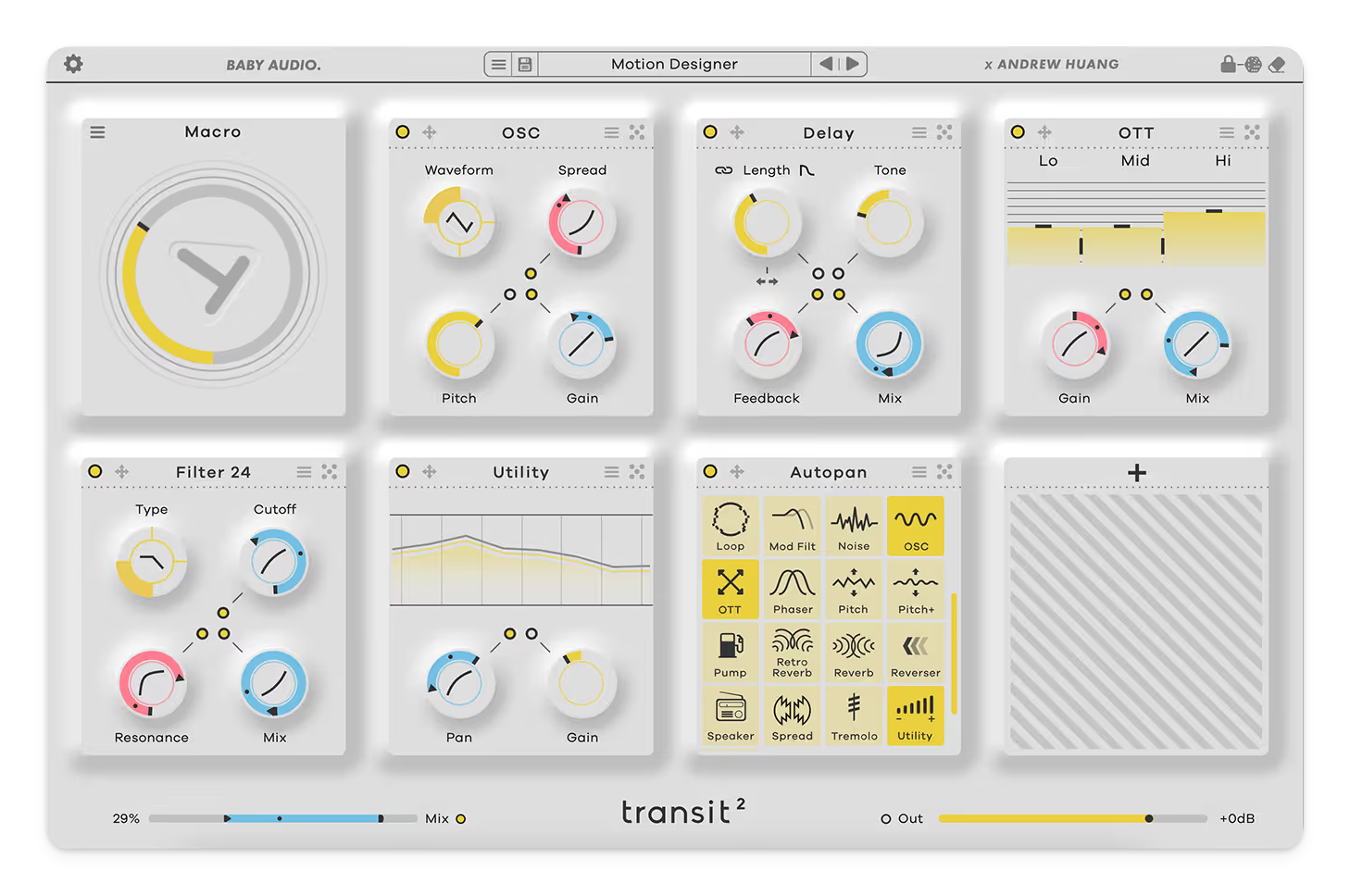
When you want to enhance the sense of lift as you move from one section to the next, or of release after a chorus or drop hits, risers and fallers can be great compositional additions when implemented effectively. Sometimes those generic noise risers and fallers pulled from sound packs or Splice just don’t seem to fit the production, though - they’re generic, made from sounds unrelated to your track, and there is a risk that they sound tacked on if they’re not handled with taste.
Transit 2 is a way around this issue. It’s designed to create a sense of movement over time, particularly useful for risers and fallers, but it uses your own audio material along with an array of effects to create that movement. This means that your riser won’t sound generic, because you’re making them yourself from your own audio material.
Made by Baby Audio in collaboration with music producer, author and YouTuber Andrew Huang, it balances simplicity and complexity very well. The useful presets and clever UI design let you quickly audition different effect approaches without adjusting much more than the one big central knob, but you can dive deeper into specific effects and modulation options when you want to tweak further.
This plugin is a massive time saver compared to manually creating your own risers and fallers, and while I only use it occasionally, this would absolutely fall into the ‘workhorse utility plugin’ category for many electronic and pop producers.
MODO Bass 2
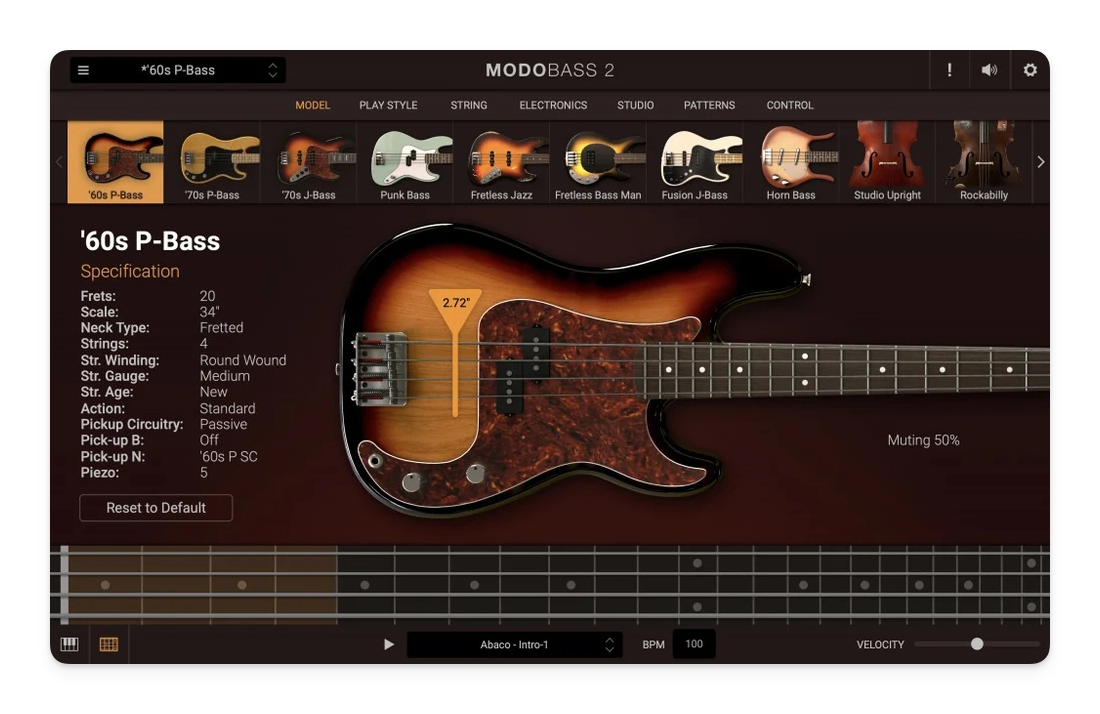
MODO Bass is a bass guitar virtual instrument. If I’m mixing or producing a track with a real bass player, or working on a pop track with synthetic bass that doesn’t sound like a real bass guitar, this plugin doesn’t even cross my mind. But if I’m composing demos for my band, or if a track I’m working on could benefit from a more organic sound to enhance a very basic sub track, MODO Bass 2 can be incredibly useful.
As with most of IK Multimedia’s instrument plugins, MODO Bass 2 has different pricing tiers, opening up a wider range of bass guitar models and a few other functions. But what’s notable about MODO Bass 2 is that the P-Bass in the free version is the only one I use. It sounds great and is pretty easy to fit into tracks with some basic EQ and compression, and I genuinely haven’t felt any need whatsoever to upgrade to a paid option.
If you’re recording guitar tracks with real guitars, I find you can easily get away with using this for your bass guitar and still have everything sound natural - the subtle imperfections in the guitar tracks you record help this virtual instrument bass fly under the radar. Yes, it’s hard to beat a talented human bass player with a decent bass instrument if you have that option, but if you’re not a bass player and don’t have a bass guitar, this is a huge time saver. Badly recorded bass, or a bass guitar that’s not in good condition, can give you a bunch of headaches during mixing, particularly from wonky tuning and intonation. You don’t get that with a MIDI instrument. During composition, there’s also the major advantage of being able to quickly change the notes. If you have to re-record part of a bass track each time you want to change your chord progression, you’re adding an unnecessary technical hurdle and risking dipping out of that creative flow state.
There’s no losing here - try out the free version; you probably don’t need the paid ones!
Trick Up Your Tracks
As I said, you won’t necessarily use these plugins regularly, so if you haven’t filled out your plugin toolkit yet, start with some of the ones mentioned in part 1 or part 2 of this series. But if you want a few tricks up your sleeve for the rare occasion during experimental composition sessions, these plugins offer something unique that can bring a touch of fun and chaos to the creative experience, and I certainly value that.
Now that I’ve wrapped up this three-part series, I’m interested in hearing from you - what plugins make it into your favourites list, whether they’re regular workhorse plugins, creative problem solvers, or occasional gems? Please share in the comments!
ICYMI: My Latest Release
Copycat EP 01 is a collection of covers dedicated to artists who have influenced my musical identity. It was a gratifying creative challenge to transform the songs into something new with the sonic fingerprint of n1ghtmar3cat while retaining what made them special to me in the first place.


