

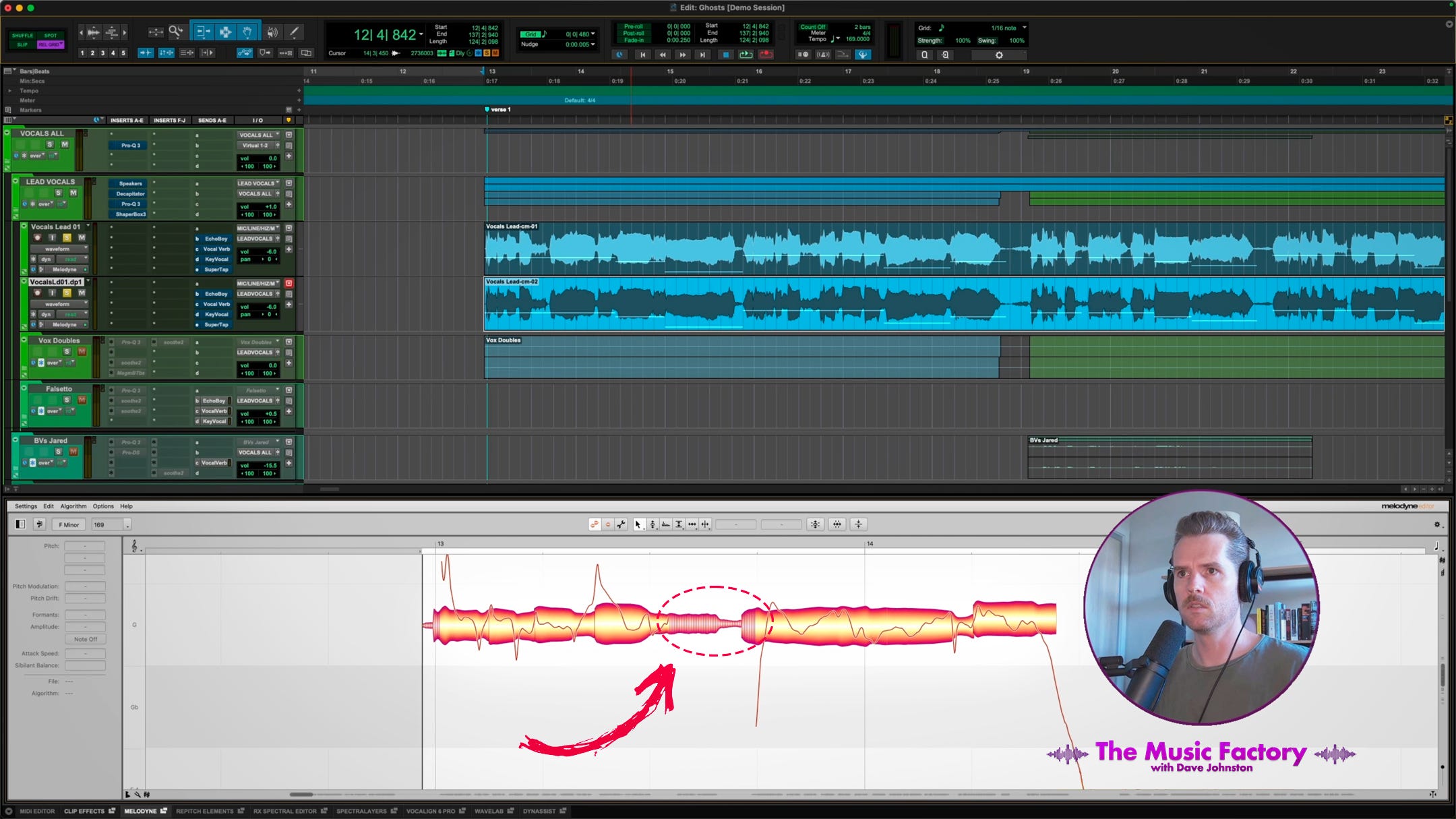
Vocals are often the most important element in a mix. Getting a voice to sound full, present, and airy without sounding harsh can be a challenge.
This might be a familiar scenario: you open an EQ and boost the top end for some vocal sheen. Initially, you think it sounds great, but then you realise you’ve also amplified a range of harsh frequencies you weren’t really noticing before in the singer’s upper mids and highs. Worse, the sibilant ‘S’ and ‘SH’ sounds are now really jumping out.
The Problem with Traditional Fixes
When this happens, the standard toolkit sometimes falls short:
De-essers: You pull down the threshold to catch the sibilance, which helps with the ‘ess’ sounds but leaves the glassy harshness in the tonal parts untouched.
Dynamic or Spectral EQ: You try to dip the harshness only when it occurs. However, because sibilance often overlaps with the frequency range you’re targeting, the ‘S’ sounds trigger the processing much more than the tonal harshness does. You end up with a lispy vocal that still sounds harsh.
Static Notching: You try several thin, high-Q cuts to kill specific resonances. But because the vocalist’s pitch and timbre vary, the resonant frequencies move around slightly. Before long, your EQ looks like an upside-down hedgehog, and the vocal sounds dull again.
Every vocalist and microphone combination presents unique challenges. The technique I’m sharing is a hands-on, surgical solution for those difficult sessions where standard processing just isn’t cutting it. I don’t do this with every mix, but it’s a good trick to have up your sleeve!
↓ I’ve included a video demonstration toward the end of this article ↓
Melodyne: Not Just for Tuning
Most audio practitioners know Melodyne as a pitch-correction tool. While it’s world-class in that department, it also has a variety of other useful applications for manipulating vocals and instruments.
One lesser-known use is managing sibilance. Unlike a traditional de-esser, which reacts in real time when a signal hits a threshold, Melodyne first scans the audio. During that scan, it distinguishes between pitched, tonal audio and unpitched sibilant noise, and handles them differently during editing. The Sibilant Balance control lets you adjust the balance between these two elements across all the notes you have selected, even an entire vocal track. This is available in all editions of Melodyne 5 except for the basic ‘Essential’ version.
The Strategy: Separating the Tonal from Sibilant Parts of the Signal
Our goal is to use spectral dynamics to tame glassy frequencies without the sibilance interfering with the processor’s threshold. To do this, we can split the vocal into two distinct tracks: one containing only the tonal information and one containing only the sibilance.
Note: This process involves rendering audio, so I recommend creating a safety backup in a hidden track or duplicate playlist before you begin.
Step 1: Extracting the Tonal Track
Start by duplicating the vocal track. On your first track, select all the audio within Melodyne. Move the Sibilant Balance slider to -100%. This effectively eliminates the sibilant sounds, leaving you with just the notes. Render this audio and label the track ‘Vocals (Tonal)’.
Step 2: Extracting the Sibilant Track
On the duplicate track, set the Sibilant Balance to +100%. Now, the tonal parts are removed, leaving behind only the ‘S’, ‘T’, ‘SH’, and ‘CH’ sounds. Render this and label it ‘Vocals (Sibilance)’.
Step 3: Reconstruct the Vocal
Place both tracks into a routing folder (or a group or stack, depending on your DAW). The two tracks will sound very odd when played back solo, but when played together, they should slot back in like puzzle pieces, sounding identical to your original recording. Pretty impressive! To affect the vocals as a single source, add plugins to the folder rather than each individual track.
De-Harshing with Precision
Now that the vocal is split, you have a new level of control. You can add a spectral dynamics processor or a dynamic EQ just to the ‘Vocals (Tonal)’ track. Because the sibilance is no longer triggering the processor’s threshold, you can target those thin, glassy frequencies in the high-mids and highs. The processor will only react to the harshness in the singer’s voice, leaving the sibilant sounds crisp and untouched, because they’re on a separate track. A broad EQ boost would then add air to the vocal tone without affecting sibilance.
Bonus: A Manual De-Esser Alternative
This split also gives you greater control than traditional de-essing. Instead of using a de-esser with static settings to compress sibilance, you can just turn down the ‘Vocals (Sibilance)’ track by a few dB. Because it’s all laid out visually in front of you, you can look at the waveform of the whole track; if any sibilant moments are still too loud, you can use clip gain or volume automation to adjust them to taste.
You could also EQ your sibilance if needed. Some singers create sibilance where certain frequencies whistle through more than others; EQing just the sibilance track lets you cut those frequencies without altering the vocal tone.
A Useful Technique for Difficult Situations
The technology behind this technique hasn’t been around for very long, and it’s great to consider new ways to tackle mixing challenges as it continues to evolve. While I’ve focused on Melodyne here because many engineers will already have it, there are a few other new plugins that can do a similar job, such as splitS by apulSoft and Re-Esser by Wavesfactory, which work in real time rather than offline or via ARA2 integration.
It’s worth noting that a well-recorded vocal track, using a microphone that suits the singer’s voice, may not require this approach. Many fantastic vocal performances have been captured and mixed expertly without this level of intervention. However, we don’t always have the luxury of a perfect vocal recording. While quite involved, this is a great option to keep in mind for achieving a smooth, high-end vocal sound when other solutions just aren’t working. Give it a try on your next difficult vocal mix!
ICYMI: My Latest Release
Copycat EP 01 is a collection of covers dedicated to artists who have influenced my musical identity. It was a gratifying creative challenge to transform the songs into something new with the sonic fingerprint of n1ghtmar3cat while retaining what made them special to me in the first place.


Interesting!
Now I’m hoping for a harsh vocal so I can try it out, hah
This is fantastic, Dave, thanks. I guess I need to start thinking about upgrading my Melodyne